 DSH Desktop
Unofficial DeepSeek Harness desktop app — no command line required
DSH Desktop is an unofficial desktop client for DeepSeek Harness (dsh) on Windows, macOS, and Linux. Download the installer, double-click, and the app configures the environment and opens the official dsh web UI.
Download installers Open the GitHub repository
What problem it solves
The official entry is npx @deepseek-ai/dsh web, which needs Node.js and a terminal. DSH Desktop wraps that flow: it installs the public npm package @deepseek-ai/dsh and embeds the official Web UI in an Electron window. Source: github.com/gatesenman/dsh-desktop.
Highlights
One-click setup
No CLI. Node.js can ship inside the installer, so first run works on slow or offline networks.
Official UI, desktop shell
Starts local dsh web and embeds it. This is not a rewrite of the Harness UI.
Tray and autostart
Minimize to tray, launch at login, restart the service, and read live logs.
Updates
Can update @deepseek-ai/dsh; the app updates from GitHub Releases.
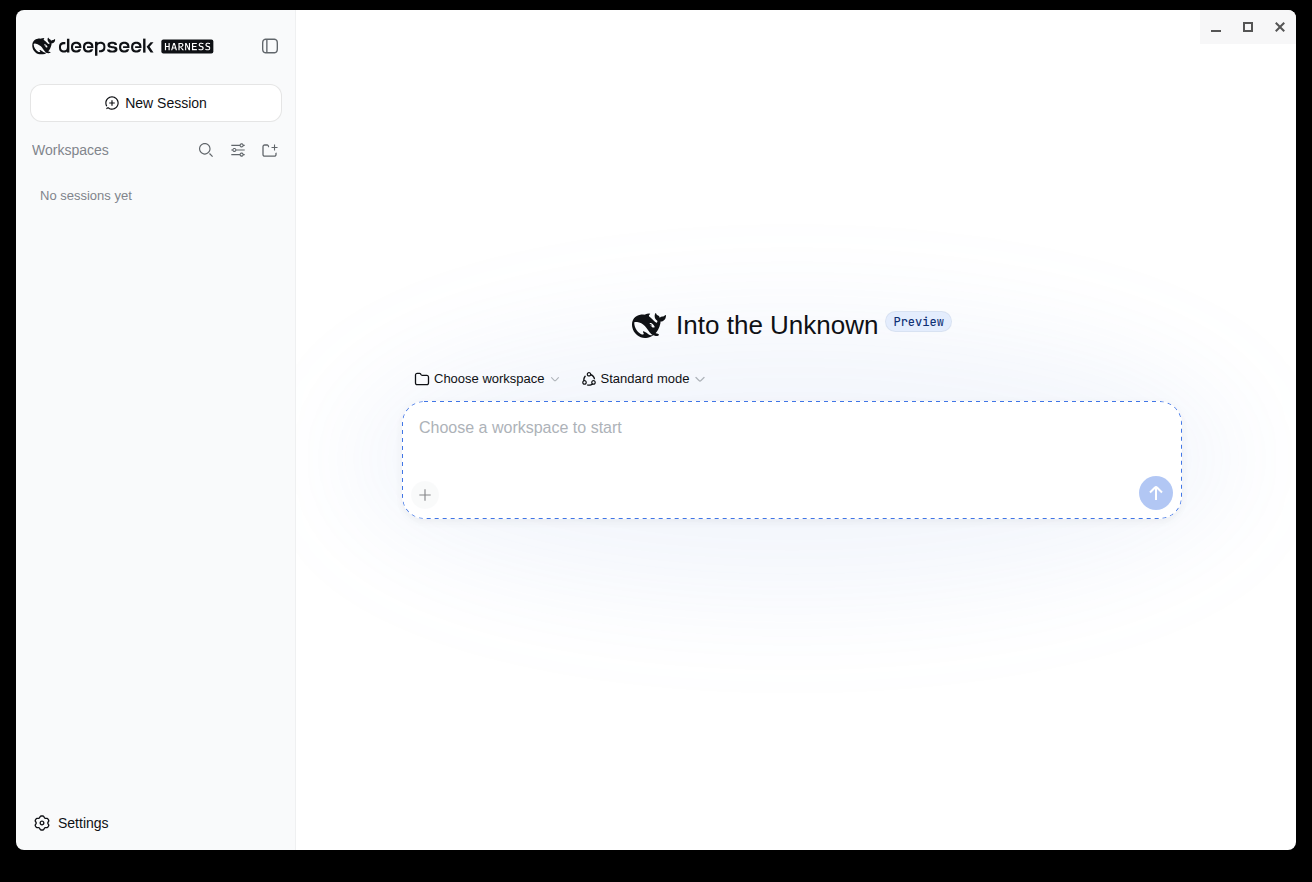
Screenshot
Installers
- Windows: NSIS
.exe(x64) - macOS:
.dmg(x64 / Apple Silicon) - Linux:
.AppImage/.deb(x64)
Get them from Releases. Version 1.7.0, MIT license.
FAQ
What is DSH Desktop?
An unofficial desktop client for DeepSeek Harness (dsh). It gives Windows, macOS, and Linux users a GUI that embeds the official dsh Web UI.
Is this official DeepSeek software?
No. It installs the official @deepseek-ai/dsh package from npm and does not copy or modify official source. Upstream: deepseek-ai/deepseek-harness.
How do I run DeepSeek Harness without a terminal?
Download the installer for your OS. First launch installs Node.js if needed, installs dsh, and opens the UI. You do not have to run npx @deepseek-ai/dsh web.
Do I need to install Node.js myself?
No. If the system does not already have Node.js 22.19+ or 24+, the app uses the runtime bundled in the installer.